UART Loopback
Description
This example demonstrates communication using the Red Pitaya UART protocol. The code below simulates a loopback by sending a message from the UART TX connector to the UART RX connector on the Red Pitaya.
Note
When establishing a digital communication between Red Pitaya and another device do not forget to connect the GND pins of both devices. Otherwise, the results might be unreliable.
Required hardware
Red Pitaya
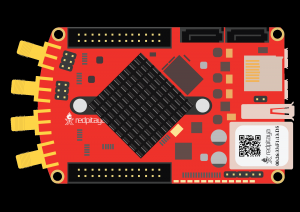
Required software
2.00-23 or higher OS
Note
This code is written for 2.00-23 or higher OS. For older OS versions, please check when specific commands were released (a note is added to each command introduced in 2.00 or higher verisons).
SCPI Code Examples
Code - MATLAB®
The code is written in MATLAB. TCP client communication is used to establish socket communication with Red Pitaya, then SCPI commands are sent to configure the various Red Pitaya peripherals. Copy the code below into the MATLAB editor, save the project and press the Run button. Tested on MATLAB 2024b.
%% Define Red Pitaya as TCP/IP object
close all
clc
IP = 'rp-f0a235.local';                % Input IP of your Red Pitaya...
port = 5000;
RP = tcpclient(IP, port);

uart_bits = 7;              % 6,7 or 8
uart_speed = 57.6e3;        % 1200, 2400, ..., 4e6
uart_stop_bits = 2;         % 1 or 2
uart_parity = 'odd';        % NONE, EVEN, ODD, MARK, SPACE
uart_timeout = 10;          % in 1/10 sec. 10 = 1 sec

uart_msg = '#H11,#H22,#H33,33,33,#Q11,#B11001100';
mgs_len = 7;
% the message is an array of data separated by commas, the data can be in
% DEC format - for example 10
% HEX format (add #H in front of data value) - for example #H07
% OCT format (add #O in front of data value) - for example #O770
% BIN format (add #B in front of data value) - for example #B10010110


%% Open connection with your Red Pitaya
RP.ByteOrder = 'big-endian';
configureTerminator(RP,'CR/LF');

% Initialize UART
writeline(RP,'UART:INIT');

writeline(RP, append('UART:BITS CS', num2str(uart_bits)'));         % number of bits
res = writeread(RP,'UART:BITS?');                                   % check bit size
fprintf('Bit size %s\n', res);

writeline(RP,append('UART:SPEED ', num2str(uart_speed)));           % uart speed
res = writeread(RP,'UART:SPEED?');                                  % check speed
fprintf('Speed %s\n', res);

writeline(RP,append('UART:STOPB STOP', num2str(uart_stop_bits)));   % stop bits
res = writeread(RP,'UART:STOPB?');                                  % check number of stop bits
fprintf('Stop bits %s\n', res);

writeline(RP,append('UART:PARITY ', uart_parity));                  % parity
res = writeread(RP,'UART:PARITY?');                                 % check parity
fprintf('Parity %s\n', res);

writeline(RP,append('UART:TIMEOUT ', num2str(uart_timeout)));       % timeout
res = writeread(RP,'UART:TIMEOUT?');                                % check timeout
fprintf('Timeout %s\n', res);

% Apply settings
writeline(RP,'UART:SETUP');

%% Read and write messages
%                                      msg_len            message
writeline(RP, append('UART:WRITE', num2str(msg_len), ' ', uart_msg));   % write message to UART
fprintf('UART message sent');

res = writeread(RP,'UART:READ3?');          % read 3 bytes of data from UART
fprintf('Read: %s\n', res);

res = writeread(RP,'UART:READ4?');          % read 4 bytes of data from UART
fprintf('Read: %s\n', res);

%% Close connection with Red Pitaya
writeline(RP,'UART:RELEASE');               % close uart and release resources
clear RP;
Code - Python
Using SCPI commands:
#!/usr/bin/env python3

import sys
import redpitaya_scpi as scpi

rp = scpi.scpi(sys.argv[1])

rp.tx_txt('UART:INIT')
print("Init UART")


rp.tx_txt('UART:BITS CS7')
print("Set bit size CS7")

rp.tx_txt('UART:BITS?')
print("Check bit size",rp.rx_txt())

rp.tx_txt('UART:SPEED 57600')
print("Set speed 57600")

rp.tx_txt('UART:SPEED?')
print("Check speed",rp.rx_txt())

rp.tx_txt('UART:STOPB STOP2')
print("Set stop bit STOP2")

rp.tx_txt('UART:STOPB?')
print("Check stop bit",rp.rx_txt())

rp.tx_txt('UART:PARITY ODD')
print("Set parity mode: ODD")

rp.tx_txt('UART:PARITY?')
print("Check parity mode",rp.rx_txt())

rp.tx_txt('UART:TIMEOUT 10')
print("Set timeout: 10 decams")

rp.tx_txt('UART:TIMEOUT?')
print("Check timeout",rp.rx_txt())


rp.tx_txt('UART:SETUP')
print("Setup settings")

rp.tx_txt('UART:WRITE7 #H11,#H22,#H33,33,33,#Q11,#B11001100')
print("Write 7 bytes to uart: #H11,#H22,#H33,33,33,#Q11,#B11001100'")

rp.tx_txt('UART:READ3?')
print("Read: ",rp.rx_txt())

rp.tx_txt('UART:READ4?')
print("Read: ",rp.rx_txt())

rp.tx_txt('UART:RELEASE')
print("Release UART")
Using functions:
#!/usr/bin/env python3

import sys
import redpitaya_scpi as scpi

rp = scpi.scpi(sys.argv[1])

speed = 57600
bits = "CS7"
parity = "ODD"
stop = 2
timeout = 10

# function for configuring UART settings
rp.uart_set(speed, bits, parity, stop, timeout)

# function to get UART settings
uart_set = rp.uart_get_setings()
print("\n")

rp.tx_txt('UART:WRITE7 #H11,#H22,#H33,33,33,#Q11,#B11001100')
print("Write 7 bytes to uart: #H11,#H22,#H33,33,33,#Q11,#B11001100'")

rp.tx_txt('UART:READ3?')
print("Read: ",rp.rx_txt())

rp.tx_txt('UART:READ4?')
print("Read: ",rp.rx_txt())
print("\n")

# function to send a string through UART
rp.uart_write_string("Hello World")   # set the ascii parameter to True if bits == CS7 or to False if bits == CS8

# function to read a string through UART
message = rp.uart_read_string(length = 11)
print(f"{message}\n")

rp.tx_txt('UART:RELEASE')
print("Release UART")

rp.close()
Note
The Python functions are accessible with the latest version of the redpitaya_scpi.py document available on our GitHub. The functions represent a quality-of-life improvement as they combine the SCPI commands in an optimal order and also check for improper user inputs. The code should function at approximately the same speed without them.
For further information on functions please consult the redpitaya_scpi.py code.
API Code Examples
Note
The API code examples don’t require the use of the SCPI server. Instead, the code should be compiled and executed on the Red Pitaya itself (inside Linux OS). Instructions on how to compile the code and other useful information are here.
Code - C++
/* @brief This is a simple application for testing UART communication on a RedPitaya
*
* (c) Red Pitaya  http://www.redpitaya.com
*
* This part of code is written in C programming language.
* Please visit http://en.wikipedia.org/wiki/C_(programming_language)
* for more details on the language used herein.
*/


#include <stdio.h>
#include <stdlib.h>
#include <string.h>
#include "rp_hw.h"


int main(int argc, char *argv[]){

    char *buffer = "TEST string";
    char rx_buf[255];
    memset(rx_buf,0,255);
    int size = 255;

    int res = rp_UartInit(); // init uart api
    printf("Init result: %d\n",res);

    res = rp_UartSetTimeout(10); // set timeout in 1/10 sec. 10 = 1 sec
    printf("Set timeout: %d\n",res);

    res = rp_UartSetSpeed(115200); // set uart speed
    printf("Set speed: %d\n",res);

    res = rp_UartSetBits(RP_UART_CS8); // set word size
    printf("Set CS8: %d\n",res);

    res = rp_UartSetStopBits(RP_UART_STOP2); // set stop bits
    printf("Set Stop Bits 2: %d\n",res);

    res = rp_UartSetParityMode(RP_UART_MARK); // set parity
    printf("Set Parity Mode: %d\n",res);

    res = rp_UartSetSettings(); // apply settings to uart
    printf("Set settings: %d\n",res);

    res = rp_UartWrite((unsigned char*)buffer,strlen(buffer)); // write buffer to uart
    printf("Write result: %d\n",res);

    res = rp_UartRead((unsigned char*)rx_buf,&size); // read from uart
    printf("Read result: %d\n",res);
    printf("Size: %d (%s)\n",size,rx_buf);

    res = rp_UartRelease(); // close uart api
    printf("UnInit result: %d\n",res);
    return 0;
}
Code - Python
#!/usr/bin/python3
import rp_hw

data = list("TEST string")
# Convert data to integer array corresponding to ASCII values
data_int = [ord(char) for char in data]
data_size = len(data_int)

uart_speed = 115200                     # 1200,2400,4800,9600,19200,38400,57600,115200,230400,576000,921000,1000000,1152000,1500000,2000000,2500000,3000000,3500000,4000000
uart_timeout = 10                       # 0 - 255
uart_word_size = rp_hw.RP_UART_CS8      # RP_UART_CS6, RP_UART_CS7, RP_UART_CS8
uart_parity = rp_hw.RP_UART_MARK        # RP_UART_NONE, RP_UART_EVEN, RP_UART_ODD, RP_UART_MARK, RP_UART_SPACE
uart_stop_bits = rp_hw.RP_UART_STOP2    # RP_UART_STOP1, RP_UART_STOP2

# Initialize UART
rp_hw.rp_UartInit()

# Configure UART settings
rp_hw.rp_UartSetTimeout(uart_timeout)           # set timeout in 1/10 sec. 10 = 1 sec
rp_hw.rp_UartSetSpeed(uart_speed)               # set uart speed
rp_hw.rp_UartSetBits(uart_word_size)            # set word size
rp_hw.rp_UartSetStopBits(uart_stop_bits)        # set stop bits
rp_hw.rp_UartSetParityMode(uart_parity)         # set parity

# Apply settings to UART
rp_hw.rp_UartSetSettings()

# Create buffers for sending and receiving data
buff = rp_hw.Buffer(data_size)
for i in range(data_size):
    buff[i] = data_int[i]

buff2 = rp_hw.Buffer(data_size)

# Write data to UART
rp_hw.rp_UartWrite(buff, data_size)

# Read data from UART
res = rp_hw.rp_UartRead(buff2, 5)
print(f"Return result: {res[0]} Read size: {res[1]}")
data1 = [chr(buff2[i]) for i in range(res[1])]

res = rp_hw.rp_UartRead(buff2, data_size - 5)
print(f"Return result: {res[0]} Read size: {res[1]}")
data2 = [chr(buff2[i]) for i in range(res[1])]

# Display results
print(f"{data1} {data2}")

# Release UART resources
rp_hw.rp_UartRelease()