3.2.13. Marketplace and contributed apps
Overview
Red Pitaya supports a wide range of community-developed applications created by researchers, developers, and enthusiasts worldwide. These third-party applications extend Red Pitaya’s capabilities for specialized use cases in scientific research, RF communications, control systems, and more.
Important Information:
Note
For OS 2.07-43 and newer: The Application Marketplace is no longer available. All unique applications will slowly be migrated to the official Red Pitaya OS and made accessible from the main web interface.
For older OS versions (pre-2.07-43): The Application Marketplace remains accessible but most applications require updates for OS 2.00+ compatibility. Check individual application pages for compatibility information.
Getting Community Applications:
Community applications are not distributed through the marketplace anymore. To install community applications:
Visit the application’s community page (linked in each section below)
Follow the installation instructions provided by the application author
Contact the application author for support, bug reports, or feature requests
Note
Applications developed by the Red Pitaya community are not distributed, maintained, or tested by the Red Pitaya team. Our team accepts no responsibility for third-party applications. For feedback, bug reports, or support, please contact the project authors directly.
Available Applications
The following community applications are documented here. Each application page includes a link to the developer’s repository or website where you can find installation instructions and source code.
Application Compatibility Overview:
The table below provides compatibility information for community applications. Check individual application pages for detailed requirements and installation instructions.
Application |
Description |
OS 2.00+ |
Status |
|---|---|---|---|
|
|||
DAQ Server |
High-speed continuous data acquisition (15.625 MS/s) with multi-board sync |
Custom OS image |
Active |
|
|||
SDR (Pavel Demin) |
Software-defined radio transceiver |
Yes [1] |
Active |
VNA (Pavel Demin) |
Vector network analyzer for RF measurements |
Yes [1] |
Active |
WSPR (Pavel Demin) |
Weak Signal Propagation Reporter for amateur radio |
Custom OS image |
Active |
RadioBox |
Multi-mode radio transceiver |
No |
Abandoned |
Radar |
Open-source radar system with Raspberry Pi integration |
No |
Not maintained |
|
|||
PyRPL (Leonhard Neuhaus) |
Quantum optics lock-in amplifiers, digital filters, and feedback control |
Yes |
Active |
Linien |
Laser lock-in |
Yes |
Active |
Lock-in + PID (Marcelo Luda) |
Lock-in amplifier with PID controller |
Yes |
Active |
DSP Sandbox (Pau Gomez) |
Digital signal processing development environment |
Custom image |
Active |
LTI DSP Workbench (DashPi) |
Linear time-invariant system analysis |
No |
Not maintained |
|
|||
Power Analysis |
Power consumption and efficiency measurement |
No |
Abandoned |
Frequency Response Analyzer |
Frequency response measurements and analysis |
Yes |
Ported to official OS |
Impedance Analyzer |
Complex impedance measurement tool |
Yes |
Ported to official OS |
Multi-Pulse Height Analyzer (Pavel Demin) |
Nuclear spectroscopy pulse analysis |
Custom image |
Active |
|
|||
OCRA |
Open-source MRI console for real-time acquisition |
Check docs |
Active |
EPICS |
Experimental Physics and Industrial Control System integration |
Check docs |
Active |
Qt-Based Tools |
Qt framework applications for Red Pitaya |
No |
Not maintained |
Tesla Coil Driver |
Musical Tesla coil control system |
No |
Not maintained |
Footnotes
Note
Compatibility status is based on last known information. Please check the individual application documentation pages for the most current compatibility information and installation instructions.
Marketplace Access (Legacy)
For users running OS versions older than 2.07-43:
The Application Marketplace can still be accessed through the Red Pitaya web interface. To use the marketplace:
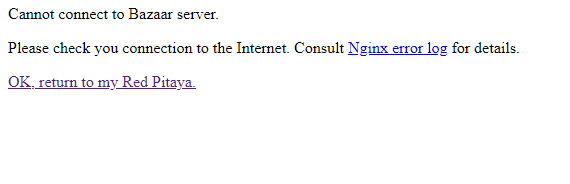
Ensure internet connectivity: Red Pitaya must have access to the internet, otherwise the Marketplace will fail to open.
Connect to the internet:
Connect via Wi-Fi or ethernet cable to your router
Alternatively, configure network passthrough if directly connected to a computer (requires advanced networking knowledge)
Application Documentation
- Red Pitaya DAQ Server
- SDR – Software Defined Radio (by Pavel Demin)
- Vector Network Analyzer (by Pavel Demin)
- Multiband WSPR Transceiver – (by Pavel Demin)
- RadioBox - (by Urlich Habel)
- Open-source Red Pitaya Radar
- PyRPL (Lock-in amplifiers, digital filters and more by Leonhard Neuhaus)
- Linien - User-friendly locking of lasers (Humboldt University)
- Lock-in + PID (by Marcelo Luda)
- DSP Sandbox (free graphical DSP design tool by Pau Gomez)
- LTI DSP Workbench
- Power Analyzer
- Frequency Response Analyzer
- Impedance Analyzer
- Multichannel Pulse Height Analyzer - (by Pavel Demin)
- OCRA - Open Source Console for Real-Time Acquisition / MRI
- EPICS driver for Red Pitaya (by Andraz Pozar)
- Qt GUI application on Red Pitaya (by Primoz Beltram)
- Teslameter
Note
The code for some third-party applications available on the Red Pitaya marketplace can be found in the Red Pitaya GitHub repository - deprecated applications, under the deprecated directory. However, not all applications are hosted there, and some may have their own separate repositories maintained by the original developers.
The applications listed above are developed and maintained by third-party developers. For support, bug reports, or feature requests, please contact the respective application authors directly using the links provided on each application’s documentation page.