Compiling Streaming client applications
Red Pitaya’s streaming application supports two types of clients:
Console client - Command-line interface for streaming data
Desktop client - Graphical user interface (Qt-based) for streaming data
Pre-built client applications are provided with each firmware release. However, you can customize and rebuild these clients according to your requirements.
This guide explains how to build both client types using Qt Creator.
Prerequisites
Before building the streaming clients, ensure you have the following installed:
CMake 3.18 or higher
Qt 5.15.2 with QtCharts module
GCC 9 or higher
Operating System: Windows or Ubuntu
Note
Download Qt development tools from the official Qt website. During installation, ensure you select the QtCharts module as an additional package.
Building with Qt Creator
Qt Creator provides an integrated development environment for building and modifying the streaming clients.
Opening the project
Launch Qt Creator
Open the CMakeLists.txt file as a project
Navigate to:
./apps-tools/streaming_manager/src/CMakeLists.txt
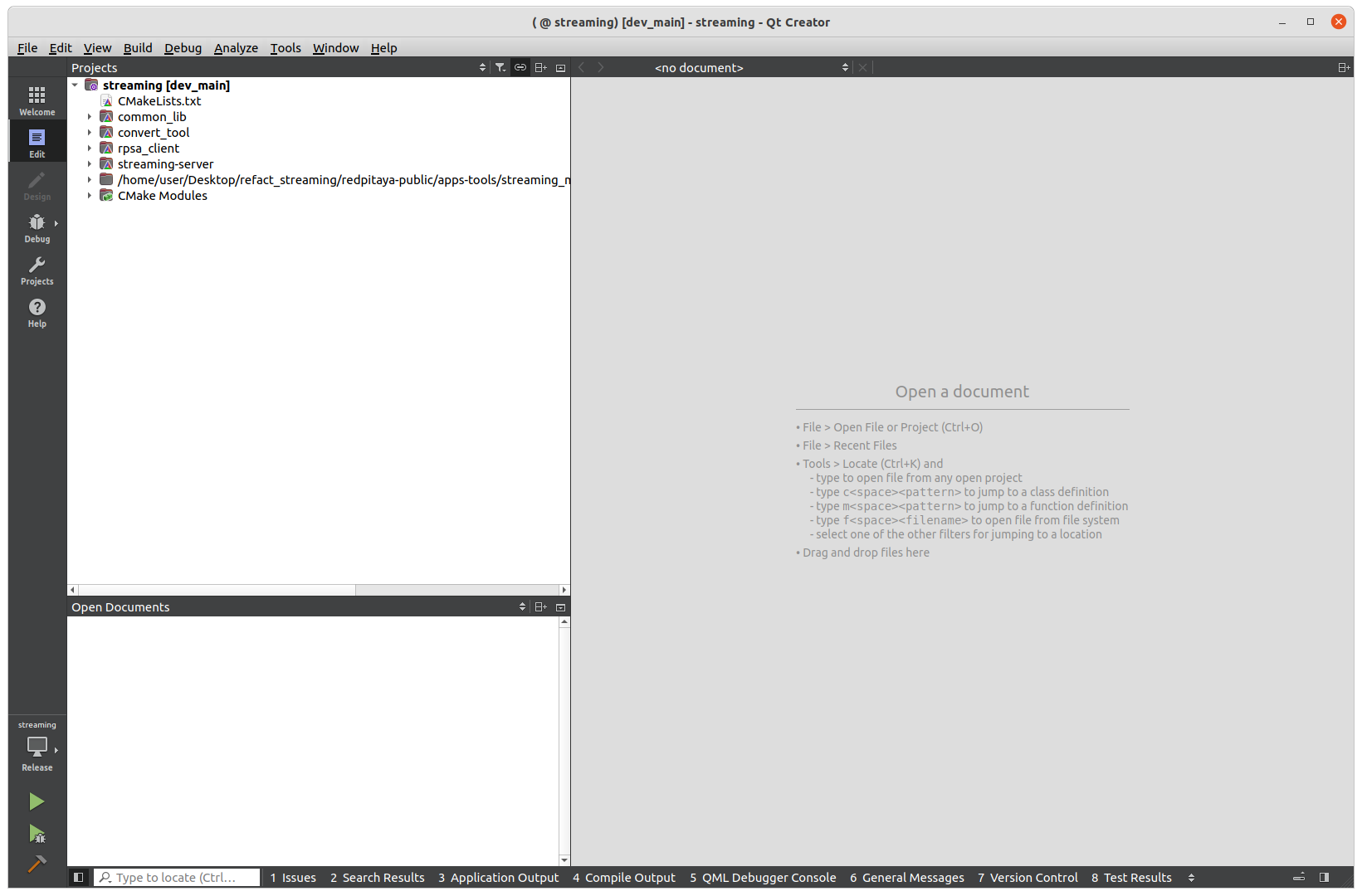
After opening the project, you will see that only the server and console client are available for building by default.
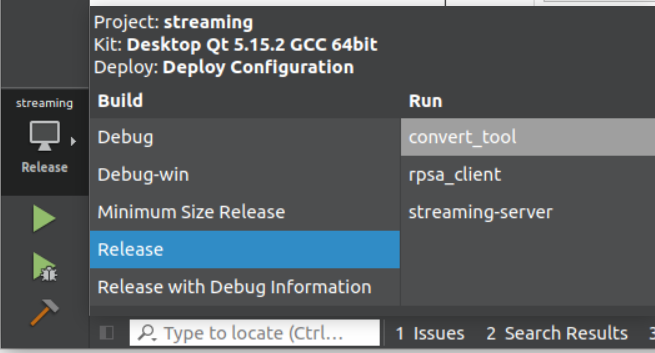
Enabling the desktop client build
The desktop client (Qt GUI application) is disabled by default. To enable it:
Open the project settings in Qt Creator
Locate the CMake configuration options
Enable the checkbox for: BUILD_RPSA_CLIENT_QT
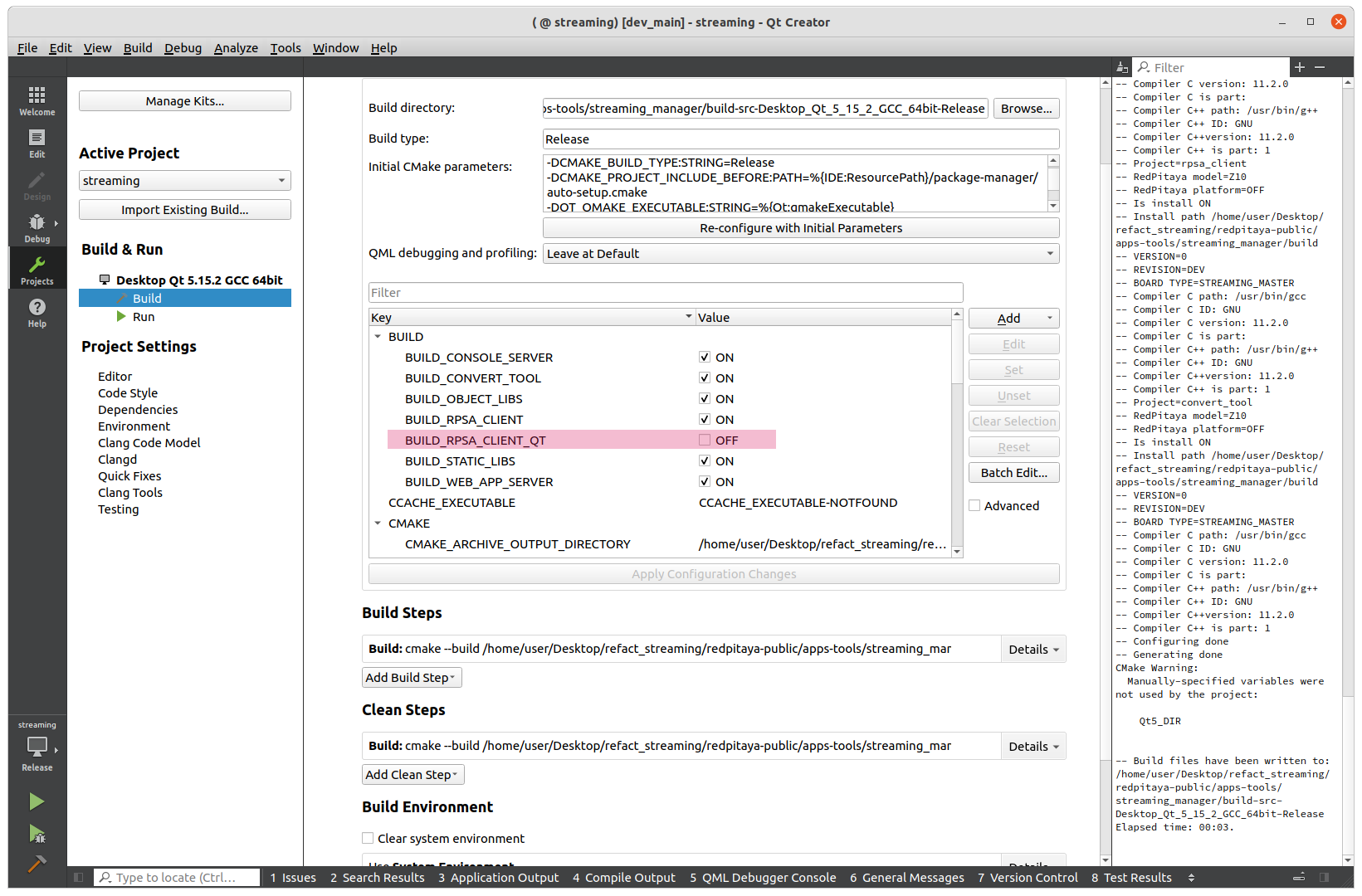
Once enabled, the desktop client will become available as a build target.
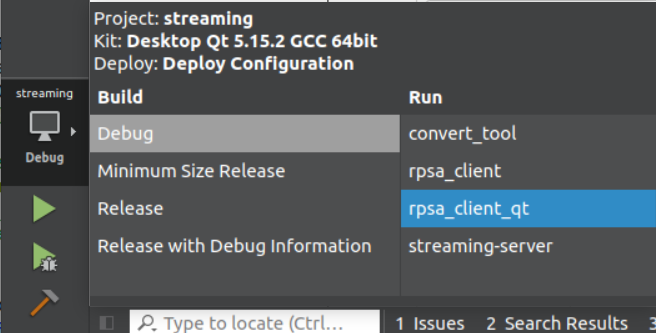
Building the clients
After configuring the build options:
Select the desired build target (console client or desktop client)
Click the build button in Qt Creator
The compiled binaries will be available in the build output directory