Decoding I2C protocol (FPGA acquisition)
Description
This example demonstrates how to decode the I2C protocol using logic analyser commands. Red Pitaya captures data on the specified digital inputs and decodes it. The captured data is stored in the “i2c_data.bin” file, which can be used for further analysis. When configuring the example, make sure that the captured I2C settings match the I2C decoder settings.
Here are the possible values for the decoder:
address_format - Shifted =
0, Unshifted =1invert_bit -
0, 1(invert input data signal)decoder lines -
1 - 8(1 == DIO0_P)trigger channel -
LA_T_CHANNEL_1 - LA_T_CHANNEL_8(1 == DIO0_P)
The possible decoded data packet types are:
Start - The start bit of the I2C message (control value 0)
Repeat start - The repeat start bit of the I2C message (control value 1)
Stop -The stop bit of the I2C message (control value 2)
Ack - The acknowledge bit of the I2C message (control value 3)
Nack - The not acknowledge bit of the I2C message (control value 4)
Read address - The address of the I2C device (control value 5)
Write address - The address of the I2C device (control value 6)
Read data - The data read from the I2C device (control value 7)
Write data - The data written to the I2C device (control value 8)
Each decoded data packet has the following parameters:
control - Data identifier.
data - Data contained in the protocol.
line name - Line name according to the protocol for which the data was decoded. Must be specified in the decoder settings, otherwise they will not be present.
sampleStart - Starting position in the data to be recognized in samples. 0 = first sample, 1 = second sample, etc. The value is not an integer, since the bit width can be real depending on the protocol. Includes the pretrigger samples.
length - Length of the recognized block in samples.
\[\text{l_{packet}} = \frac{125~\mathrm{MHz}}{\text{decimation} \cdot \text{i2c_speed}} \cdot \text{bitsInPack}\]bitsInPack - Number of recognized data bits. Multiple of 0.5.
Required hardware
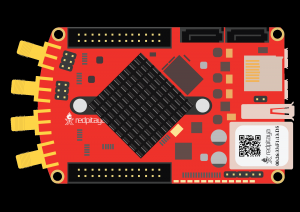
Red Pitaya
pin jumper wires
Required software
IN DEV - Nightly Build OS
Note
This code is written for IN DEV and will not work with the currently available OS releases. To use this functionality, please install the Nightly Build OS versions.
API Code Examples
Code - Python
#!/usr/bin/python3
""" Example of using the Logic Analyzer Python API to decode an external I2C signal on Red Pitaya.
"""
import sys
import time
import rp_la
import rp_hw_profiles
import numpy as np
from rp_overlay import overlay
# Define callback
class Callback(rp_la.CLACallback):
def captureStatus(self, controller, isTimeout, bytes, samples, preTrig, postTrig):
print("CaptureStatus timeout =", isTimeout, "bytes =", bytes, "samples =", samples, "preTrig =", preTrig, "postTrig =", postTrig)
def decodeDone(self, controller, name):
print("Decode done ", name)
## I2C decoder settings ##
i2c_acq_speed = 400000 # Fixed to 400 kHz
i2c_addr_format = 0 # Shifted = 0, Unshifted = 1
i2c_invert_bit = 0
i2c_sda = 7 # I2C SDA (1 - first line. Valid values are from 1 to 8)
i2c_scl = 8 # I2C SCL
# LA acquisition
trigger_ch = rp_la.LA_T_CHANNEL_8 # Trigger chanels are 1 to 8
trig_edge = rp_la.LA_RISING_OR_FALLING # LOW, HIGH, RISING, FALLING, RISING_OR_FALLING
enable_RLE = True
decimation = 32
acq_rate = int(rp_hw_profiles.rp_HPGetBaseSpeedHzOrDefault() / decimation)
pre_trig_samples = int(125e6/decimation * 1e-3)
post_trig_samples = int(125e6/decimation * 3e-3)
print(f"Pre post trigger: {pre_trig_samples} {post_trig_samples}")
# Change FPGA image to logic analyzer "logic"
fpga = overlay("logic")
# Create controller and initialize FPGA
rp_cla = rp_la.CLAController()
rp_cla.initFpga()
callback = Callback()
rp_cla.setDelegate(callback.__disown__())
# Set LA parameters
rp_cla.setEnableRLE(True)
rp_cla.setDecimation(decimation)
rp_cla.setTrigger(trigger_ch, trig_edge)
rp_cla.setPreTriggerSamples(pre_trig_samples)
rp_cla.setPostTriggerSamples(post_trig_samples)
# Add I2C decoder and configure settings
rp_cla.addDecoder("I2C", rp_la.LA_DECODER_I2C)
rp_cla.setDecoderSettingsUInt("I2C", "acq_speed", acq_rate)
rp_cla.setDecoderSettingsUInt("I2C", "invert_bit", i2c_invert_bit)
rp_cla.setDecoderSettingsUInt("I2C", "address_format", i2c_addr_format)
rp_cla.setDecoderSettingsUInt("I2C", "scl", i2c_scl)
rp_cla.setDecoderSettingsUInt("I2C", "sda", i2c_sda)
print(f"I2C decoder settings: {rp_cla.getDecoderSettings('I2C')}")
# Start acquisition
rp_cla.runAsync(0)
print("Started acquire data")
time.sleep(0.1) # Wait for LA to acquire some data
# Wait for trigger
res = rp_cla.wait(0) # No timeout set
if res:
print("Exit by timeout")
sys.exit(1)
# Save data to file
rp_cla.saveCaptureDataToFile("i2c_data.bin")
# Get captured data
rawBytesCount = rp_cla.getCapturedDataSize()
raw_data = np.zeros(rawBytesCount, dtype=np.uint8)
print(f"Packed samples count: {rp_cla.getDataNP(raw_data)}")
# Get unpacked RLE data
rle_data = np.zeros(rp_cla.getCapturedSamples(), dtype=np.uint8)
print(f"Unpacked samples count: {rp_cla.getUnpackedRLEDataNP(rle_data)}")
print(f"RLE DATA {raw_data}")
print(f"UNPACKED DATA {rle_data}\n")
rp_cla.printRLE(False)
print("\nDecoded data")
decode = rp_cla.getDecodedData("I2C")
for index in range(len(decode)):
print(f"{rp_cla.getAnnotation(rp_la.LA_DECODER_I2C, decode[index]['control'])} = {decode[index]}")
print("End program")
del rp_cla