I2C external (IOCTL)
Description
This example demonstrates communication with an external 24LC64 EEPROM memory connected to the I2C port of the Red Pitaya using SPCI and API commands. The code below first writes a custom message to the external EEPROM and then reads it back.
Note
The following code works for the 24LC64 EEPROM chip and should be modified for use with other external I2C devices. The lower three bits of the 24LC64 EEPROM HW address are hardware defined by the pins on the PCB. In addition, the first two bytes transmitted correspond to the target address in the EEPROM. Please refer to the datasheet of your I2C device for the correct addressing and communication protocol.
Required hardware
Red Pitaya
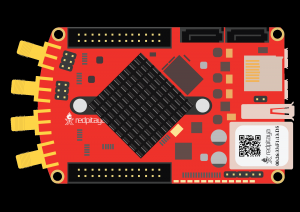
Required software
2.00-23 or higher OS
Note
This code is written for 2.00-23 or higher OS. For older OS versions, please check when specific commands were released (a note is added to each command introduced in 2.00 or higher verisons).
SCPI Code Examples
Code - MATLAB®
%% Define Red Pitaya as TCP/IP object
clc
close all
IP = 'rp-f0a235.local';           % IP of your Red Pitaya
port = 5000;
RP = tcpclient(IP, port);

%% Variables
% EEPROM 24LC64 DATA
dev_addr = 0b1010110;
eeprom_size = 8192;
page_size = 32;
offset = uint16(0x0000);
path ="/dev/i2c-0";

txt = uint8('Pitaya Red');      % Max 16 characters long

%% Open connection with your Red Pitaya
RP.ByteOrder = 'big-endian';
configureTerminator(RP,'CR/LF');
flush(RP);
fprintf('Start\n');


%% Configure I2C communication
writeline(RP, append('I2C:DEV', num2str(dev_addr), ' "', path, '"'));
writeline(RP, 'I2C:FMODE ON');

% Communication with external 24LC64 EEPROM, for other devices, please refer to the device datasheet
buf = zeros(1, length(txt)+2, 'uint8');

buf(1) = bitshift(offset, -8);              % 24LC64 address byte 1
buf(2) = bitand(offset, uint16(0xFF));      % 24LC64 address byte 2
buf(3:length(txt)+2) = txt                  % Data to write

writeline(RP, append('I2C:IOctl:Write:Buffer', num2str(length(buf)), ' ', strjoin(compose('%d',buf),",")))

pause(0.01);
% Reading data
writeline(RP, append('I2C:IOctl:Write:Buffer2 ', strjoin(compose('%d',buf(1:2)),",")))
data = writeread(RP, append('I2C:IOctl:Read:Buffer', num2str(length(txt)), '?'));
data = str2double(split(strip(strip(data, '{'), '}'), ','))

%% Close the interface
fprintf("Program End\n")
clear RP;
Code - Python
#!/usr/bin/env python3
"""External I2C 24LC64 communication example"""

import time
import numpy as np
import redpitaya_scpi as scpi

### EEPROM 24LC64 DATA ###
dev_addr=0b1010110
eeprom_size=8192
page_size=32
offset=0x0000
path="/dev/i2c-0"

txt = np.frombuffer(b'Pitaya Red', dtype=np.uint8)    # Max 16 characters long


IP = 'rp-f0a235.local'     # IP Test OS Red Pitaya
rp = scpi.scpi(IP)

# Configure I2C communication
rp.tx_txt(f"I2C:DEV{dev_addr} \"{path}\"")
rp.check_error()
rp.tx_txt("I2C:FMODE ON")
rp.check_error()

# Communication with external 24LC64 EEPROM, for other devices, please refer to the device datasheet
buf = np.zeros((len(txt)+2), dtype=np.uint8)
buf[0]=offset >> 8      # 24LC64 address byte 1
buf[1]=offset & 0xFF    # 24LC64 address byte 2
buf[2:]=txt             # Data to write
rp.tx_txt(f"I2C:IOctl:Write:Buffer{len(buf)} {np.array2string(buf, separator=',').strip(" []").replace(" ","")}")
rp.check_error()

time.sleep(0.01)

print("Reading data")
rp.tx_txt(f"I2C:IOctl:Write:Buffer{2} {np.array2string(buf[0:2], separator=',').strip(" []").replace(" ","")}")
data = rp.txrx_txt(f"I2C:IOctl:Read:Buffer{len(buf)}?")
data = np.array(list(map(int, data.strip("{}").split(","))), dtype=np.uint8)
data_string=''.join([chr(i) for i in data])
rp.check_error()

print(f"{data_string}")

rp.close()
Note
The Python functions are accessible with the latest version of the redpitaya_scpi.py document available on our :github:`GitHub
For further information on functions please consult the redpitaya_scpi.py code.
API Code Examples
Note
The API code examples don’t require the use of the SCPI server. Instead, the code should be compiled and executed on the Red Pitaya itself (inside Linux OS). Instructions on how to compile the code and other useful information are here.
Code - C++
#include <stdio.h>
#include <stdlib.h>
#include <string.h>
#include <unistd.h>
#include "rp_hw.h"
#include "rp_hw-calib.h"


#define EEPROM_ADDR 0b1010110           // 24LC64 address
#define EEPROM_SIZE 8192                // 64K EEPROM
#define PAGE_SIZE 32                    // EEPROM page size

int main(int argc, char *argv[]){

    int address = 0;
    int res = 0;

    uint8_t buf[PAGE_SIZE+2];           // max write size is page size + 2 address bytes
    int offset = 0x0000;                // address offset
    uint8_t text[] = "123 45678";       //  Test data
    int text_len = sizeof(text)/sizeof(uint8_t);        // number of bytes to read/write

    // This example shows how to work with external EEPROM via I2C

    res = rp_I2C_InitDevice("/dev/i2c-0", EEPROM_ADDR); // Init i2c api.
    printf("Init result: %d\n",res);

    res = rp_I2C_getDevAddress(&address);
    printf("Dev address: %d\n", address);
    printf("Get addr result: %d\n",res);

    res = rp_I2C_setForceMode(true);                    // Set force mode.
    printf("Set force mode: %d\n",res);

    // Write data to EEPROM
    buf[0] = offset >> 8;       // high byte of address
    buf[1] = offset & 0xFF;     // low byte of address
    for(int i = 0; i < text_len; i++){
        buf[i+2] = text[i];     // data to be written
    }

    printf("Written string: %s\n", buf);
    res = rp_I2C_IOCTL_WriteBuffer(buf, text_len+2);    // Write position for reading.
    printf("Write text res: %d\n",res);
    usleep(10000);

    // Read data from EEPROM

    // Change read/write pointer to start of written data
    buf[0] = offset >> 8;       // high byte of address
    buf[1] = offset & 0xFF;     // low byte of address

    res = rp_I2C_IOCTL_WriteBuffer(buf, 2);             // Write position for reading.
    usleep(10000);

    memset(buf,0,PAGE_SIZE+2);
    res = rp_I2C_IOCTL_ReadBuffer(buf, text_len);       // Read 1 byte from I2C
    printf("Read text res: %d\n",res);
    printf("Read string: %s\n", buf);

    printf("End");

    return 0;
}
Code - Python
#!/usr/bin/python3
import time
import rp_hw

EEPROM_ADDR = 0b1010110           # 24LC64 address
EEPROM_SIZE = 8192                # 64K EEPROM
PAGE_SIZE = 32                    # EEPROM page size

address = 0
res = 0

# Message
data = list("TEST string")
# Convert data to integer array corresponding to ASCII values
data_int = [ord(char) for char in data]
data_size = len(data_int)
offset = 0x0000                                # EEPROM address offset

# This example shows how to work with external EEPROM via I2C
res = rp_hw.rp_I2C_InitDevice("/dev/i2c-0", EEPROM_ADDR)      # Init i2c api.
print(f"InitDevice: {'success' if not res else 'fail'}")

rp_hw.rp_I2C_setForceMode(True)                         # Set force mode.
res = rp_hw.rp_I2C_getDevAddress()
print(f"Device address: {res[1]}")

# Prepare data for sending
rx_buff = rp_hw.Buffer(PAGE_SIZE+2)
rx_buff[0] = offset >> 8                                # high byte of address
rx_buff[1] = offset & 0xFF                              # low byte of address

for i in range(data_size):
    rx_buff[i+2] = data_int[i]

# Write data to EEPROM
res = rp_hw.rp_I2C_IOCTL_WriteBuffer(rx_buff, data_size+2)
print("Data written to EEPROM")
print(f"Write res: {res}\n")
time.sleep(5e3/1e6) # 5 ms

# Change read/write pointer to start of written data
rx_buff[0] = offset >> 8                                # high byte of address
rx_buff[1] = offset & 0xFF                              # low byte of address

rp_hw.rp_I2C_IOCTL_WriteBuffer(rx_buff, 2)
print(f"Change address pointer to 0x{offset:02x}")
time.sleep(1e3/1e6) # 1 ms

# Read data from EEPROM
res = rp_hw.rp_I2C_IOCTL_ReadBuffer(rx_buff, data_size+2)
print(f"Read res: {res}")
data_read = [chr(rx_buff[i]) for i in range(data_size)]
print(f"Read data: {data_read}\n")

# Change read/write pointer to end of written data
offset = data_size
rx_buff[0] = offset >> 8                                # high byte of address
rx_buff[1] = offset & 0xFF                              # low byte of address
rp_hw.rp_I2C_IOCTL_WriteBuffer(rx_buff, 2)
print(f"Change address pointer to 0x{offset:02x}")

# Read data after the written data
res = rp_hw.rp_I2C_IOCTL_ReadBuffer(rx_buff, data_size+2)
print(f"Read res: {res}")
data_read = [chr(rx_buff[i]) for i in range(data_size)]
print(f"Read data: {data_read}\n")