CAN external
Description
This example demonstrates communication using the Red Pitaya CAN interface. The code below sends CAN frames between the CAN0 and CAN1 interfaces on the same Red Pitaya using the MCP2542 Click Board. The following principle can also be used to communicate with other devices on the CAN bus.
Required hardware
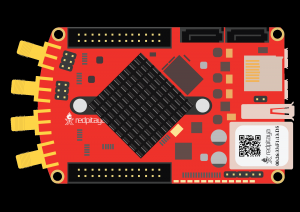
Red Pitaya
2x CAN transceivers (for example, the MCP2542 Click Board)
a cable to connect the transcievers (for example, DB-9)
pin jumper wires
Required software
2.04-35 or higher OS
Note
This code is written for 2.04-35 or higher OS. For older OS versions, please check when specific commands were released (a note is added to each command introduced in 2.00 or higher verisons).
Connections
Connecting the MCP2452 Click Board (or another CAN transciever) to the Red Pitaya:
TX pins of the CAN transceivers to the CAN RX pins on the Red Pitaya
RX pins of the CAN transceivers to the CAN TX pins on the Red Pitaya
Connect the power and ground pins
Use a DB-9 (or a different) cable to connect the CAN transceiver to an external CAN bus or to another MPC2542 click board
Note
CAN0 - TX == DIO7_N, RX == DIO7_P
CAN1 - TX == DIO6_N, RX == DIO6_P

Here is the CAN pinout for the DB-9 connector:

Figure 3.13 Image source: CSS Electronics
SCPI Code Examples
Code - MATLAB®
The code is written in MATLAB. TCP client communication is used to establish socket communication with Red Pitaya, then SCPI commands are sent to configure the various Red Pitaya peripherals. Copy the code below into the MATLAB editor, save the project and press the Run button. Tested on MATLAB 2024b.
%% Define Red Pitaya as TCP/IP object
clc
close all
IP = 'rp-f0a235.local';           % IP of your Red Pitaya
port = 5000;
RP = tcpclient(IP, port);

%% Variables

can_bus1 = 0;
can_bus2 = 1;
bitrate = 200000;
can_id = 123;
can_id2 = 321;
timeout = 2000;
can_mode = 'loopback';

can_info = [];
can_data = [];

tx_buffer = 0:8;

%% Open connection with your Red Pitaya
RP.ByteOrder = 'big-endian';
configureTerminator(RP,'CR/LF');
flush(RP);
fprintf('Start\n');

writeline(RP, append('CAN', num2str(can_bus1), ':CLOSE'));
writeline(RP, append('CAN', num2str(can_bus2), ':CLOSE'));

% INIT CAN
writeline(RP, 'CAN:FPGA ON');

%% CAN 0 SETUP
% GPIO (N7,P7)
writeline(RP, append('CAN', num2str(can_bus1), ':STOP'));
writeline(RP, append('CAN', num2str(can_bus1), ':BITRate ', num2str(bitrate)));
writeline(RP, append('CAN', num2str(can_bus1), ':MODE ', upper(can_mode), ',OFF'));

%% CAN 1 SETUP
% GPIO (N6,P6)
writeline(RP, append('CAN', num2str(can_bus2), ':STOP'));
writeline(RP, append('CAN', num2str(can_bus2), ':BITRate ', num2str(bitrate)));
writeline(RP, append('CAN', num2str(can_bus2), ':MODE ', upper(can_mode), ',OFF'));


%% Start and open both interfaces
writeline(RP, append('CAN', num2str(can_bus1), ':START'));
writeline(RP, append('CAN', num2str(can_bus1), ':OPEN'));

writeline(RP, append('CAN', num2str(can_bus2), ':START'));
writeline(RP, append('CAN', num2str(can_bus2), ':OPEN'));

% Send and read data
fprintf('Transmission CAN0 => CAN1\n')
writeline(RP, append('CAN', num2str(can_bus1), ':Send', num2str(can_id ), ' ', strjoin(compose('%d',tx_buffer(1:3)),",")));
writeline(RP, append('CAN', num2str(can_bus1), ':Send', num2str(can_id2), ' ', strjoin(compose('%d',tx_buffer),",")));

can_data = writeread(RP, append('CAN', num2str(can_bus2), ':Read:Timeout', num2str(timeout), '?'));
[can_info, can_data] = can_data_split(can_data);
% canID, canIDraw, EXT_Frame, ERR_frame, RTR, Length, {data1, data2, data3, ...}
sprintf( ['Package info:\n', ...
    'CAN ID: %d\n', ...
    'CAN ID raw: %d\n', ...
    'EXT frame: %d\n', ...
    'ERR frame: %d\n', ...
    'RTR: %d\n', ...
    'Data length: %d\n'], can_info(1), can_info(2), can_info(3), can_info(4), can_info(5), can_info(6));
fprintf('Received data: %s\n', strjoin(can_data, ","));

can_data = writeread(RP, append('CAN', num2str(can_bus2), ':Read:Timeout', num2str(timeout), '?'));
[can_info, can_data] = can_data_split(can_data);
% canID, canIDraw, EXT_Frame, ERR_frame, RTR, Length, {data1, data2, data3, ...}
sprintf( ['Package info:\n', ...
    'CAN ID: %d\n', ...
    'CAN ID raw: %d\n', ...
    'EXT frame: %d\n', ...
    'ERR frame: %d\n', ...
    'RTR: %d\n', ...
    'Data length: %d\n'], can_info(1), can_info(2), can_info(3), can_info(4), can_info(5), can_info(6));
fprintf('Received data: %s\n', strjoin(can_data, ","));

% Send data the other way
fprintf('\nTransmission CAN1 => CAN0\n')
writeline(RP, append('CAN', num2str(can_bus2), ':Send', num2str(can_id ), ' ', strjoin(compose('%d',tx_buffer(1:3)),",")));
writeline(RP, append('CAN', num2str(can_bus2), ':Send', num2str(can_id2), ' ', strjoin(compose('%d',tx_buffer),",")));

can_data = writeread(RP, append('CAN', num2str(can_bus1), ':Read:Timeout', num2str(timeout), '?'));
[can_info, can_data] = can_data_split(can_data);
% canID, canIDraw, EXT_Frame, ERR_frame, RTR, Length, {data1, data2, data3, ...}
sprintf( ['Package info:\n', ...
    'CAN ID: %d\n', ...
    'CAN ID raw: %d\n', ...
    'EXT frame: %d\n', ...
    'ERR frame: %d\n', ...
    'RTR: %d\n', ...
    'Data length: %d\n'], can_info(1), can_info(2), can_info(3), can_info(4), can_info(5), can_info(6));
fprintf('Received data: %s\n', strjoin(can_data, ","));

can_data = writeread(RP, append('CAN', num2str(can_bus1), ':Read:Timeout', num2str(timeout), '?'));
[can_info, can_data] = can_data_split(can_data);
% canID, canIDraw, EXT_Frame, ERR_frame, RTR, Length, {data1, data2, data3, ...}
sprintf( ['Package info:\n', ...
    'CAN ID: %d\n', ...
    'CAN ID raw: %d\n', ...
    'EXT frame: %d\n', ...
    'ERR frame: %d\n', ...
    'RTR: %d\n', ...
    'Data length: %d\n'], can_info(1), can_info(2), can_info(3), can_info(4), can_info(5), can_info(6));
fprintf('Received data: %s\n', strjoin(can_data, ","));

% Close the interface
writeline(RP, append('CAN', num2str(can_bus1), ':CLOSE'));
writeline(RP, append('CAN', num2str(can_bus2), ':CLOSE'));
fprintf("Program End\n")

clear RP;


function [can_data_start, can_data] = can_data_split(can_str)
    % Reorganizes the CAN string received from Red Pitaya into two NumPy
    % arrays. The first one contains the CAN package information, the second
    % one the CAN data.

    can_str_split = convertCharsToStrings(strsplit(strip(can_str, '}'), ',{'));
    can_data_start = str2double(strsplit(can_str_split(1), ','));
    can_data = strsplit(can_str_split(2), ',');
end
Code - Python
Using SCPI commands:
#!/usr/bin/python3

import numpy as np
import redpitaya_scpi as scpi

def can_data_split(can_str: str):

    """
    Reorganizes the CAN string received from Red Pitaya into two NumPy
    arrays. The first one contains the CAN package information, the second
    one the CAN data.
    """
    can_str_split = can_str.split(",{")
    can_data_start = np.array(can_str_split[0].split(",")).astype(np.int32)
    can_data = np.array(can_str_split[1].strip("}").split(","))

    return can_data_start, can_data

IP = 'rp-f0a235.local'

can_bus1 = 0
can_bus2 = 1
bitrate = 200000
can_id = 123
can_id2 = 321
timeout_rx = 2000
can_mode = "loopback"
timeout_tx = 2000

tx_buffer = np.arange(3)
tx_buffer2 = np.arange(5)

rp = scpi.scpi(IP)

# INIT CAN #
rp.tx_txt('CAN:FPGA ON')
print("CAN:FPGA ON")
rp.check_error()

## CAN 0 SETUP ##
# GPIO (N7,P7)
rp.tx_txt(f'CAN{can_bus1}:STOP')
rp.tx_txt(f'CAN{can_bus1}:BITRate {bitrate}')
rp.tx_txt(f'CAN{can_bus1}:MODE {can_mode.upper()},OFF')
rp.check_error()

## CAN 1 SETUP ##
# GPIO (N6,P6)
rp.tx_txt(f'CAN{can_bus2}:STOP')
rp.tx_txt(f'CAN{can_bus2}:BITRate {bitrate}')
rp.tx_txt(f'CAN{can_bus2}:MODE {can_mode.upper()},OFF')


# Start and open both interfaces
rp.tx_txt(f'CAN{can_bus1}:START')
rp.tx_txt(f'CAN{can_bus1}:OPEN')

rp.tx_txt(f'CAN{can_bus2}:START')
rp.tx_txt(f'CAN{can_bus2}:OPEN')

# Send and read data
print("Transmission CAN0 => CAN1")
rp.tx_txt(f'CAN{can_bus1}:Send{can_id} {np.array2string(tx_buffer, separator=',').replace('[','').replace(']','')}')
rp.tx_txt(f'CAN{can_bus1}:Send{can_id2} {np.array2string(tx_buffer2, separator=',').replace('[','').replace(']','')}')

rp.tx_txt(f'CAN{can_bus2}:Read:Timeout{timeout_rx}?')
can0_info1,can0_data1 = can_data_split(rp.rx_txt())
# canID, canIDraw, EXT_Frame, ERR_frame, RTR, Length, {data1, data2, data3, ...}
print("Package info:\n",
    f"CAN ID: {can0_info1[0]}\n"
    f"CAN ID raw: {can0_info1[1]}\n",
    f"EXT frame: {can0_info1[2]}\n",
    f"ERR frame: {can0_info1[3]}\n",
    f"RTR: {can0_info1[4]}\n",
    f"Data length: {can0_info1[5]}\n")
print(f"Received data: {can0_data1}\n")

rp.tx_txt(f'CAN{can_bus2}:Read:Timeout{timeout_rx}?')
can0_info2,can0_data2 = can_data_split(rp.rx_txt())
print("Package info:\n",
    f"CAN ID: {can0_info2[0]}\n"
    f"CAN ID raw: {can0_info2[1]}\n",
    f"EXT frame: {can0_info2[2]}\n",
    f"ERR frame: {can0_info2[3]}\n",
    f"RTR: {can0_info2[4]}\n",
    f"Data length: {can0_info2[5]}\n")
print(f"Received data: {can0_data2}\n")

# Send data the other way
print("Transmission CAN1 => CAN0")
rp.tx_txt(f'CAN{can_bus2}:Send{can_id} {np.array2string(tx_buffer, separator=',').replace('[','').replace(']','')}')
rp.tx_txt(f'CAN{can_bus2}:Send{can_id2} {np.array2string(tx_buffer2, separator=',').replace('[','').replace(']','')}')

rp.tx_txt(f'CAN{can_bus1}:Read:Timeout{timeout_rx}?')
can1_info1,can1_data1 = can_data_split(rp.rx_txt())
print("Package info:\n",
    f"CAN ID: {can1_info1[0]}\n"
    f"CAN ID raw: {can1_info1[1]}\n",
    f"EXT frame: {can1_info1[2]}\n",
    f"ERR frame: {can1_info1[3]}\n",
    f"RTR: {can1_info1[4]}\n",
    f"Data length: {can1_info1[5]}\n")
print(f"Received data: {can1_data1}\n")

rp.tx_txt(f'CAN{can_bus1}:Read:Timeout{timeout_rx}?')
can1_info2,can1_data2 = can_data_split(rp.rx_txt())
print("Package info:\n",
    f"CAN ID: {can1_info2[0]}\n"
    f"CAN ID raw: {can1_info2[1]}\n",
    f"EXT frame: {can1_info2[2]}\n",
    f"ERR frame: {can1_info2[3]}\n",
    f"RTR: {can1_info2[4]}\n",
    f"Data length: {can1_info2[5]}\n")
print(f"Received data: {can1_data2}\n")

# Close the interface
rp.tx_txt(f'CAN{can_bus1}:CLOSE')
rp.tx_txt(f'CAN{can_bus2}:CLOSE')
rp.check_error()
rp.close()
Note
The Python functions are accessible with the latest version of the redpitaya_scpi.py document available on our GitHub. The functions represent a quality-of-life improvement as they combine the SCPI commands in an optimal order and also check for improper user inputs. The code should function at approximately the same speed without them.
For further information on functions please consult the redpitaya_scpi.py code.
API Code Examples
Note
The API code examples don’t require the use of the SCPI server. Instead, the code should be compiled and executed on the Red Pitaya itself (inside Linux OS). Instructions on how to compile the code and other useful information are here.
Code - C++
Note
The API code examples don’t require the use of the SCPI server. Instead, the code should be compiled and executed on the Red Pitaya itself (inside Linux OS). Instructions on how to compile the code and other useful information are here.
/* @brief This application demonstrates communication between two devices on a CAN bus
* using CAN0 and CAN1 ports on the Red Pitaya.
*
* (c) Red Pitaya  http://www.redpitaya.com
*
* This part of code is written in C programming language.
* Please visit http://en.wikipedia.org/wiki/C_(programming_language)
* for more details on the language used herein.
*/

#include <stdio.h>
#include <stdlib.h>
#include <string.h>

#include "rp.h"
#include "rp_hw_can.h"

int main(int argc, char *argv[]){

    int res;
    int bitrate = 200000;

    int can_id_1 = 123;
    int can_id_2 = 321;

    int timeout_rx = 2000;

    unsigned char tx_buffer[8];
    memset(tx_buffer, '0', 8);

    tx_buffer[0] = '1';
    tx_buffer[1] = '2';
    tx_buffer[2] = '3';
    tx_buffer[3] = '4';
    tx_buffer[4] = '5';

    printf("Tx buffer data: %s\n", tx_buffer);

    res = rp_CanSetFPGAEnable(true); // init can in fpga for pass can controller to GPIO (N7,P7)
    printf("Init result: %d\n",res);

    /* CAN 0 SETUP */
    res = rp_CanStop(RP_CAN_0); // set can0 interface to DOWN  for configure
    printf("Stop can0: %d\n",res);

    res = rp_CanSetBitrate(RP_CAN_0, bitrate); // set can0 bitrate
    printf("Set bitrate: %d\n",res);

    res = rp_CanSetControllerMode(RP_CAN_0, RP_CAN_MODE_LOOPBACK, false); // set loopback mode
    printf("Set loopback mode OFF: %d\n",res);

    /* CAN 1 SETUP */
    res = rp_CanStop(RP_CAN_1); // set can1 interface to DOWN  for configure
    printf("Stop can1: %d\n",res);

    res = rp_CanSetBitrate(RP_CAN_1, bitrate); // set can1 bitrate
    printf("Set bitrate: %d\n",res);

    res = rp_CanSetControllerMode(RP_CAN_1, RP_CAN_MODE_LOOPBACK, false); // set loopback mode
    printf("Set loopback mode OFF: %d\n",res);


    /* Start and open both interfaces */
    res = rp_CanStart(RP_CAN_0); // set can0 interface to UP
    printf("Start can0: %d\n",res);

    res = rp_CanOpen(RP_CAN_0); // open socket for can0
    printf("Open socket: %d\n",res);

    res = rp_CanStart(RP_CAN_1); // set can1 interface to UP
    printf("Start can1: %d\n",res);

    res = rp_CanOpen(RP_CAN_1); // open socket for can1
    printf("Open socket: %d\n",res);

    /* Send and read data */
    res = rp_CanSend(RP_CAN_0, can_id_1, tx_buffer, 3, false, false, 0); // write buffer to can0
    printf("Write result: %d\n",res);

    res = rp_CanSend(RP_CAN_0, can_id_2, tx_buffer, 5, true, false, 0); // write buffer to can0
    printf("Write result: %d\n",res);

    rp_can_frame_t frame;
    res = rp_CanRead(RP_CAN_1, timeout_rx, &frame); // read frame from can1
    printf("Read result: %d\n",res);
    printf("Can ID: %d data: %d,%d,%d\n", frame.can_id, frame.data[0], frame.data[1], frame.data[2]);

    res = rp_CanRead(RP_CAN_1, timeout_rx, &frame); // read frame from can1 without timeout
    printf("Read result: %d\n",res);
    printf("Can ID: %d data: %d,%d,%d,%d,%d\n", frame.can_id, frame.data[0], frame.data[1], frame.data[2], frame.data[3], frame.data[4]);


    /* Send data the outher way around */
    res = rp_CanSend(RP_CAN_1, can_id_1, tx_buffer, 3, false, false, 0); // write buffer to can0
    printf("Write result: %d\n",res);

    res = rp_CanSend(RP_CAN_1, can_id_2, tx_buffer, 5, true, false, 0); // write buffer to can0
    printf("Write result: %d\n",res);

    rp_can_frame_t frame_1;
    res = rp_CanRead(RP_CAN_0, timeout_rx, &frame_1); // read frame from can1
    printf("Read result: %d\n",res);
    printf("Can ID: %d data: %d,%d,%d\n",frame_1.can_id,frame_1.data[0],frame_1.data[1],frame_1.data[2]);


    res = rp_CanRead(RP_CAN_0, timeout_rx, &frame_1); // read frame from can1 without timeout
    printf("Read result: %d\n",res);
    printf("Can ID: %d data: %d,%d,%d,%d,%d\n",frame_1.can_id,frame_1.data[0],frame_1.data[1],frame_1.data[2],frame_1.data[3],frame_1.data[4]);


    /* Close the interface */
    res = rp_CanClose(RP_CAN_0); // close socket for can0
    printf("Close can0 result: %d\n",res);

    res = rp_CanClose(RP_CAN_1); // close socket for can1
    printf("Close can1 result: %d\n",res);
    return 0;
}
Code - Python API
#!/usr/bin/env python3

""" Python API example of CAN communication """

import numpy as np
import rp
import rp_hw_can

# Variables

can0 = rp_hw_can.RP_CAN_0                   # RP_CAN_0 == DIO7_P, DIO7_N
can1 = rp_hw_can.RP_CAN_1                   # RP_CAN_1 == DIO6_P, DIO6_N

can_id_1 = 123
can_id_2 = 321
can_bitrate = 200000                        # 1 - 10000000
can_mode = rp_hw_can.RP_CAN_MODE_LOOPBACK   # RP_CAN_MODE_LOOPBACK, RP_CAN_MODE_LISTENONLY,
                                            # RP_CAN_MODE_3_SAMPLES, RP_CAN_MODE_ONE_SHOT,
                                            # RP_CAN_MODE_BERR_REPORTING

can_extended_frame = False                  # Extended can frame (True/False)
can_rtr = False                             # Remote request frame (True/False)
can_timeout = 2000                          # Timeout in milliseconds (0 == disabled)

tx_buffer = np.arange(8, dtype=np.uint8)
rx_buffer = np.zeros(8, dtype=np.uint8)

print(f"TX data: {tx_buffer}")
print(f"RX data: {rx_buffer}")

rp.rp_Init()

rp_hw_can.rp_CanSetFPGAEnable(True)                         # init can in fpga for pass can controller to GPIO (N7,P7)

## CAN 0 SETUP ##
rp_hw_can.rp_CanStop(can0)                                  # set can0 interface to DOWN for configuration
rp_hw_can.rp_CanSetBitrate(can0, can_bitrate)               # set can0 bitrate

rp_hw_can.rp_CanSetControllerMode(can0, can_mode, False)    # disable loopback mode


## CAN 1 SETUP ##
rp_hw_can.rp_CanStop(can1)                                  # set can1 interface to DOWN for configuration
rp_hw_can.rp_CanSetBitrate(can1, can_bitrate)               # set can1 bitrate
rp_hw_can.rp_CanSetControllerMode(can1, can_mode, False)    # disable loopback mode

# Start and open both interfaces
rp_hw_can.rp_CanStart(can0)                                 # set can0 interface to UP
rp_hw_can.rp_CanOpen(can0)                                  # open socket for can0

rp_hw_can.rp_CanStart(can1)                                 # set can1 interface to UP
rp_hw_can.rp_CanOpen(can1)                                  # open socket for can1
print("CAN ready\n")

# Send and read data
print("Transmission CAN0 => CAN1")
# rp_CanSendNP(interface, canId, isExtended, rtr, timeout, np_buffer)
rp_hw_can.rp_CanSendNP(can0, can_id_1, False, False, 0, tx_buffer[0:3]) # write buffer to can0
rp_hw_can.rp_CanSendNP(can0, can_id_2, True, False, 0, tx_buffer)       # write buffer to can0

# rp_CanReadNP(interface, timeout, np_buffer)
can_info = rp_hw_can.rp_CanReadNP(can1, can_timeout, rx_buffer)         # read frame from can1
print(f"Data received: {rx_buffer}\n",
      f"Can ID: {can_info[1]}\n",
      f"Data length: {can_info[2]}\n",
      f"Success (0 == OK): {can_info[0]}\n")
rx_buffer = np.zeros(8, dtype=np.uint8)                                 # clear buffer

can_info = rp_hw_can.rp_CanReadNP(can1, can_timeout, rx_buffer)         # read frame from can1
print(f"Data received: {rx_buffer}\n",
      f"Can ID: {can_info[1]}\n",
      f"Data length: {can_info[2]}\n",
      f"Success (0 == OK): {can_info[0]}\n")
rx_buffer = np.zeros(8, dtype=np.uint8)                                 # clear buffer

# Send data the other way
print("Transmission CAN1 => CAN0")
# rp_CanSendNP(interface, canId, isExtended, rtr, timeout, np_buffer)
rp_hw_can.rp_CanSendNP(can1, can_id_1, False, False, 0, tx_buffer[0:3]) # write buffer to can0
rp_hw_can.rp_CanSendNP(can1, can_id_2, True, False, 0, tx_buffer)       # write buffer to can0

# rp_CanReadNP(interface, timeout, np_buffer)
can_info = rp_hw_can.rp_CanReadNP(can0, can_timeout, rx_buffer)         # read frame from can1
print(f"Data received: {rx_buffer}\n",
      f"Can ID: {can_info[1]}\n",
      f"Data length: {can_info[2]}\n",
      f"Success (0 == OK): {can_info[0]}\n")
rx_buffer = np.zeros(8, dtype=np.uint8)                                 # clear buffer

can_info = rp_hw_can.rp_CanReadNP(can0, can_timeout, rx_buffer)         # read frame from can1
print(f"Data received: {rx_buffer}\n",
      f"Can ID: {can_info[1]}\n",
      f"Data length: {can_info[2]}\n",
      f"Success (0 == OK): {can_info[0]}\n")
rx_buffer = np.zeros(8, dtype=np.uint8)                                 # clear buffer

# Close the interface and release resources
rp_hw_can.rp_CanClose(can0)             # close socket for can0
rp_hw_can.rp_CanClose(can1)             # close socket for can1

print("End Program")
rp.rp_Release()