SPI Loopback
Description
This example shows communication with the Red Pitaya SPI. This code is for testing writing and reading via the SPI protocol. In order for the code to work, you need to connect the MISO and MOSI connectors.
For more information on the command functionality, please refer to the SPI command table documentation.
Required hardware
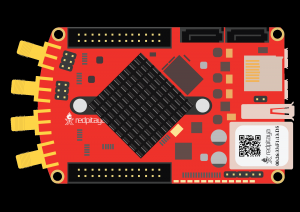
Red Pitaya device.
Required software
2.00-23 or higher OS
Note
This code is written for 2.00-23 or higher OS. For older OS versions, please check when specific commands were released (a note is added to each command introduced in 2.00 or higher verisons).
SCPI Code Examples
Code - MATLAB®
The code is written in MATLAB. TCP client communication is used to establish socket communication with Red Pitaya, then SCPI commands are sent to configure the various Red Pitaya peripherals. Copy the code below into the MATLAB editor, save the project and press the Run button. Tested on MATLAB 2024b.
%% Define Red Pitaya as TCP/IP object
close all
clc
IP = 'rp-f0a235.local';                % Input IP of your Red Pitaya...
port = 5000;
RP = tcpclient(IP, port);

spi_mode = 'LIST';
spi_speed = 5e6;
spi_word_len = 8;
msg_num = 2;
msg0 = [13 14 15 16];

% Transform the message into string
msg0_send = num2str(msg0,'%d,');
msg0_send = msg0_send(1:length(msg0_send)-1);   % remove the final comma
%% Open connection with your Red Pitaya
RP.ByteOrder = 'big-endian';
configureTerminator(RP,'CR/LF');
flush(RP);

% Initialize SPI communication
writeline(RP,'SPI:INIT:DEV "/dev/spidev1.0"');
writeline(RP,'SPI:SETtings:DEFault');               % Reset settings to default

% Setup
writeline(RP, append('SPI:SETtings:MODE ', spi_mode));               % SPI mode: Low idle level, sample on trailing edge
writeline(RP, append('SPI:SETtings:SPEED ', num2str(spi_speed)));    % SPI speed
writeline(RP, append('SPI:SETtings:WORD ', num2str(spi_word_len)));  % SPI word length

writeread(RP,'SPI:SETtings:MODE?')           % check current mode
writeread(RP,'SPI:SETtings:SPEED?')          % check current speed
writeread(RP,'SPI:SETtings:WORD?')           % check current word length

% Apply the settings to the SPI bus
writeline(RP,'SPI:SETtings:SET');

%% Send and receive SPI messages
writeline(RP, append('SPI:MSG:CREATE ', num2str(msg_num)));     % create 2 messages with different buffers

writeread(RP,'SPI:MSG:SIZE?')       % Check length of message queue

% Set messages
% 1st message                   msg_index             tx_buffer_len                  data
writeline(RP, append('SPI:MSG', num2str(0), ':TX', num2str(length(msg0)) ,':RX ', msg0_send));  % Send the first message and exchange 4 bytes of data
% 2nd message                   msg_index       rx_buffer_len
writeline(RP, append('SPI:MSG', num2str(1),':RX', num2str(7),':CS'));       % Exchange 7 bytes of data and toggle the CS signal

% If :CS is put at the end of the command, the CS line is automatically
% toggled after recieving/transmitting the message

%% Transmit data
writeline(RP,'SPI:PASS');  % send messages to SPI

msg0_tx = writeread(RP,'SPI:MSG0:TX?')
msg0_rx = writeread(RP,'SPI:MSG0:RX?')
msg1_rx = writeread(RP,'SPI:MSG1:RX?')

% Delete messages
writeline(RP,'SPI:MSG:DEL');

%% Close connection with Red Pitaya
writeline(RP,'SPI:RELEASE');           % close SPI and releas resources
clear RP;
Code - Python
Using SCPI commands:
#!/usr/bin/env python3

import sys
import time
import redpitaya_scpi as scpi

rp = scpi.scpi(sys.argv[1])

rp.tx_txt('SPI:INIT:DEV "/dev/spidev1.0"')
print("Init SPI")

rp.tx_txt('SPI:SET:DEF')
print("Set default settings")

rp.tx_txt('SPI:SET:GET')
print("Get settings")

rp.tx_txt('SPI:SET:MODE LIST')
print("Set mode")

rp.tx_txt('SPI:SET:MODE?')
print("Get mode:",rp.rx_txt())


rp.tx_txt('SPI:SET:SPEED 5000000')
print("Set speed")

rp.tx_txt('SPI:SET:SPEED?')
print("Get speed:",rp.rx_txt())

rp.tx_txt('SPI:SET:WORD 8')
print("Set word length")

rp.tx_txt('SPI:SET:WORD?')
print("Get word length:",rp.rx_txt())

rp.tx_txt('SPI:SET:SET')
print("Set settings")

rp.tx_txt('SPI:MSG:CREATE 2')
print("Create message")

rp.tx_txt('SPI:MSG:SIZE?')
print("Message size:",rp.rx_txt())

rp.tx_txt('SPI:MSG0:TX4:RX 13,14,15,16')
print("Set message")

rp.tx_txt('SPI:MSG1:RX7:CS')
print("Set message 2")

rp.tx_txt('SPI:PASS')
print("Pass message")

rp.tx_txt('SPI:MSG0:TX?')
print("Tx buffer:",rp.rx_txt())

rp.tx_txt('SPI:MSG0:RX?')
print("Received data:",rp.rx_txt())

rp.tx_txt('SPI:MSG1:RX?')
print("Received data 2:",rp.rx_txt())

rp.tx_txt('SPI:MSG1:CS?')
print("CS state for message 2:",rp.rx_txt())

rp.tx_txt('SPI:MSG:DEL')
print("Delete message")

rp.tx_txt('SPI:RELEASE')
print("Release SPI")
Using functions:
#!/usr/bin/env python3

IP = 'rp-f07f1e.local'          # IP working Red Pitaya

spi_mode = 'list'
cs_mode = 'normal'
speed = 5e6
word_len = 8

rp = scpi.scpi(IP)

rp.tx_txt('SPI:INIT:DEV "/dev/spidev1.0"')
print("Init SPI")

rp.tx_txt('SPI:SET:DEF')
print("Set default settings")

rp.spi_set(spi_mode, cs_mode, speed, word_len)
print("\n")


rp.tx_txt('SPI:MSG:CREATE 2')
print("Create message")

rp_test.spi_get_settings()
print("\n")


rp.tx_txt('SPI:MSG0:TX4:RX 13,#H14,#B00001111,16')
print("Set message")

rp.tx_txt('SPI:MSG1:RX7:CS')
print("Set message 2")

rp.tx_txt('SPI:PASS')
print("Pass message")

rp.tx_txt('SPI:MSG0:TX?')
print("Tx buffer:",rp_test.rx_txt())

rp.tx_txt('SPI:MSG0:RX?')
print("Received data:",rp_test.rx_txt())

rp.tx_txt('SPI:MSG1:RX?')
print("Received data 2:",rp_test.rx_txt())

rp.tx_txt('SPI:MSG1:CS?')
print("CS state for message 2:",rp_test.rx_txt())


rp.tx_txt('SPI:MSG:DEL')
print("Delete message")

rp.tx_txt('SPI:RELEASE')
print("Release SPI")

rp.close()
Note
The Python functions are accessible with the latest version of the redpitaya_scpi.py document available on our GitHub. The functions represent a quality-of-life improvement as they combine the SCPI commands in an optimal order and also check for improper user inputs. The code should function at approximately the same speed without them.
For further information on functions please consult the redpitaya_scpi.py code.
API Code Examples
Note
The API code examples don’t require the use of the SCPI server. Instead, the code should be compiled and executed on the Red Pitaya itself (inside Linux OS). Instructions on how to compile the code and other useful information are here.
Code - C++
/* @brief This is a simple application for testing SPI communication on a RedPitaya
*
* (c) Red Pitaya  http://www.redpitaya.com
*
* This part of code is written in C programming language.
* Please visit http://en.wikipedia.org/wiki/C_(programming_language)
* for more details on the language used herein.
*/


#include <stdio.h>
#include <stdlib.h>
#include <string.h>
#include "rp_hw.h"


int main(int argc, char *argv[]){

    char *buffer = "TEST string";
    char rx_buf[255];
    memset(rx_buf,0,255);

    int res = rp_SPI_InitDevice("/dev/spidev1.0"); // Init spi api.
    printf("Init result: %d\n",res);

    res = rp_SPI_SetDefaultSettings(); // Set default settings.
    printf("Set default settings: %d\n",res);

    res = rp_SPI_GetSettings(); // Get uart speed.
    printf("Get current settings of spi: %d\n",res);

    res = rp_SPI_SetMode(RP_SPI_MODE_LIST); // Set SPI mode: Low idle level, sample on trailing edge.
    printf("Set mode: %d\n",res);

    res = rp_SPI_SetSpeed(50000000); // Set SPI speed.
    printf("Set speed: %d\n",res);

    res = rp_SPI_SetWordLen(8); // Set word bit size.
    printf("Set word length: %d\n",res);

    res = rp_SPI_SetSettings(); // Apply settings to SPI.
    printf("Set settings: %d\n",res);

    res = rp_SPI_CreateMessage(2); // Create 2 message.
    printf("Set settings: %d\n",res);

    res = rp_SPI_SetBufferForMessage(0,(uint8_t*)buffer,true,strlen(buffer),false); // Set buffer for first message and create RX buffer.
    printf("Set buffers for first msg: %d\n",res);

    res = rp_SPI_SetBufferForMessage(1,0,true,100,false); // Create RX buffer.
    printf("Set buffers for second msg: %d\n",res);

    res = rp_SPI_ReadWrite(); // Pass message to SPI.
    printf("Read/Write to spi: %d\n",res);

    uint8_t *rx_buffer = 0;
    size_t rx_size = 0;
    res = rp_SPI_GetRxBuffer(0,&rx_buffer,&rx_size); // Get pointer to rx buffer. No need free buffer. Api itself destroy buffer.

    if (rx_buffer)
        printf("Read message: %s (res %d)\n",rx_buffer,res);

    res = rp_SPI_DestroyMessage();

    res = rp_SPI_Release(); // Close spi api.
    printf("UnInit result: %d\n",res);

    return 0;
}
Code - Python
#!/usr/bin/python3
import numpy as np
import rp_hw

# Message
data = list("TEST string")
data1 = list("Red Pitaya 123")
# Convert data to integer array corresponding to ASCII values
data_int = [ord(char) for char in data]
data_size = len(data_int)
data_int1 = [ord(char) for char in data1]
data_size1 = len(data_int1)

spi_mode = rp_hw.RP_SPI_MODE_LIST           # RP_SPI_MODE_LISL, RP_SPI_MODE_LIST, RP_SPI_MODE_HISL, RP_SPI_MODE_HIST
spi_cs_mode = rp_hw.RP_SPI_CS_NORMAL        # RP_SPI_CS_NORMAL, RP_SPI_CS_HIGH
spi_speed = 50000000                        # 1 - 100000000
spi_word_size = 8                           # 7, 8
spi_bit_order = rp_hw.RP_SPI_ORDER_BIT_MSB  # RP_SPI_ORDER_BIT_MSB, RP_SPI_ORDER_BIT_LSB

msg_num = 2

# Initialize SPI
rp_hw.rp_SPI_Init()

# Configure SPI settings
rp_hw.rp_SPI_InitDevice("/dev/spidev1.0")
rp_hw.rp_SPI_SetMode(spi_mode)
rp_hw.rp_SPI_SetCSMode(spi_cs_mode)
rp_hw.rp_SPI_SetSpeed(spi_speed)
rp_hw.rp_SPI_SetWordLen(spi_word_size)
rp_hw.rp_SPI_SetOrderBit(spi_bit_order)

# Apply settings to SPI
rp_hw.rp_SPI_SetSettings()

# Reserve space for messages
rp_hw.rp_SPI_CreateMessage(msg_num)

tx_buff = rp_hw.Buffer(data_size)
for i in range(data_size):
    tx_buff[i] = data_int[i]

tx_buff1 = rp_hw.Buffer(data_size1)
for i in range(data_size1):
    tx_buff1[i] = data_int1[i]

#                           message number, tx_buffer, init_rx_buff,      size, toggle cs
rp_hw.rp_SPI_SetBufferForMessage(        0,  tx_buff,         True,  data_size,     False)  # Set buffer for first message and create RX buffer
rp_hw.rp_SPI_SetBufferForMessage(        1, tx_buff1,         True, data_size1,      True)  # Create second RX buffer

# Pass message to SPI
rp_hw.rp_SPI_ReadWrite()

# Get the RX0 buffer
res  = rp_hw.rp_SPI_GetRxBuffer(0)     # RX buffer 0
print(f"SPI msg0: {res}")
rx_buff = rp_hw.Buffer_frompointer(res[1])
data = [chr(rx_buff[i]) for i in range(res[2])]

# Get the RX1 buffer
res  = rp_hw.rp_SPI_GetRxBuffer(1)     # RX buffer 1
rx_buff = rp_hw.Buffer_frompointer(res[1])
data1 = [chr(rx_buff[i]) for i in range(res[2])]

# Get the TX0 buffer
res  = rp_hw.rp_SPI_GetRxBuffer(1)     # TX buffer 0
tx_buff = rp_hw.Buffer_frompointer(res[1])
data_tx0 = [chr(tx_buff[i]) for i in range(res[2])]

print(f"MSG0: {data}\nMSG1: {data1}\nTX0 {data_tx0}")

# Delete all messages and release buffers
rp_hw.rp_SPI_DestroyMessage()
# Release SPI resources
rp_hw.rp_SPI_Release()